
For people who live in Telegram
Telegram,
expanded.
Supergram is a desktop app built around Telegram. Your chats stay as they are. Around them you get search across years of messages, downloads that run in the background, your cloud drives, a browser and a set of file tools, all in one window.
Made for people who use Telegram a lot: big archives, busy groups, lots of files. We test it every week on a real, heavily used account.
WindowsMac and mobile planned
Supergram for Windows · current buildReal screens, shown with sample data
What happens next
People talk on Telegram. Supergram helps with everything after that.
Files land in your chats. Lectures pile up. Channels turn into archives. Doing anything with all of that usually means opening another app.
You want toIn Supergram
- Find the PDF someone sent in MarchSearchfiltered by type, date, size, chat and sender
- Save every video from a channel, only this year'sDownloadwith a count and size before it starts
- Copy a group's photos into another groupMigratewith filters, preview, then start
- Put a file from a chat into Google DriveSuper CloudUpload to cloud…
- Save the PDFs linked on a web pageSuper BrowserOn this page…
- Send a 3 GB videoToolsVideo Splitter, parts that fit Telegram's limit
- Keep only the audio of a recorded lectureToolsVideo to Audio
That's usually six apps and a lot of downloading and uploading again. In Supergram it happens in one window, next to the chat it came from.
Why one workspace
Everything connects back to your chats.
You probably already use Telegram, a cloud drive, a browser and a few file tools. The slow part is moving things between them. In Supergram, each of those moves is one menu item.
Search
Across the chats indexed on your PC.
- →open the message
- →download the file
Transfers
One queue for what comes in and goes out.
- ←whole chats, filtered
- →uploads to any chat
Migrate
From one chat into another.
- ⇄channel, group, chat, Saved Messages
Super Cloud
Your drives beside your chats.
- →Upload to cloud…
- ←Send to Telegram…
 Telegram
Stays at the centre. Everything here starts from a chat or ends in one.
Super Browser
Links from chats open here.
- ←Download with Supergram
- →Send to Telegram…
Tools
Eighteen of them, next to the files.
- →Video Splitter sends Part 1 of N
Assistant
Works the web for you, and asks first.
- →Allow this? Allow / Don't
Your PC
Where your messages, downloads and index live.
- ·Library health checks what's on disk
Your Telegram, with a memory.
Telegram keeps everything. Finding it again is the hard part.
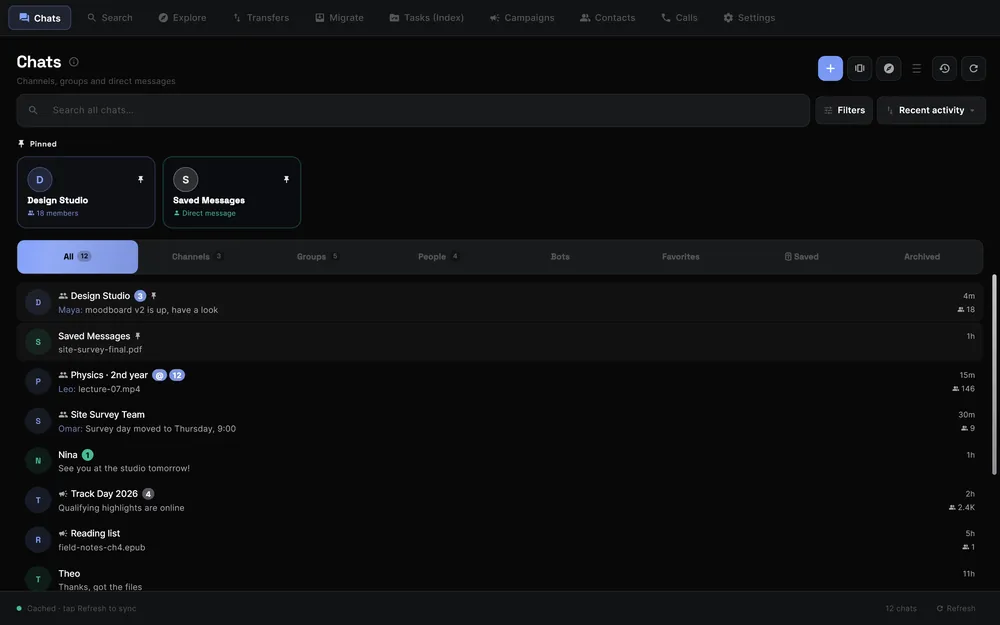
Supergram is a full Telegram client: chats, channels, groups, media, and more than one account side by side. Underneath, it builds a search index of your chats on your own PC, so a message, a file or a voice note from months ago is a few keystrokes away.

- Ctrl K searches everything, then narrow by type, date, size, chat and sender.
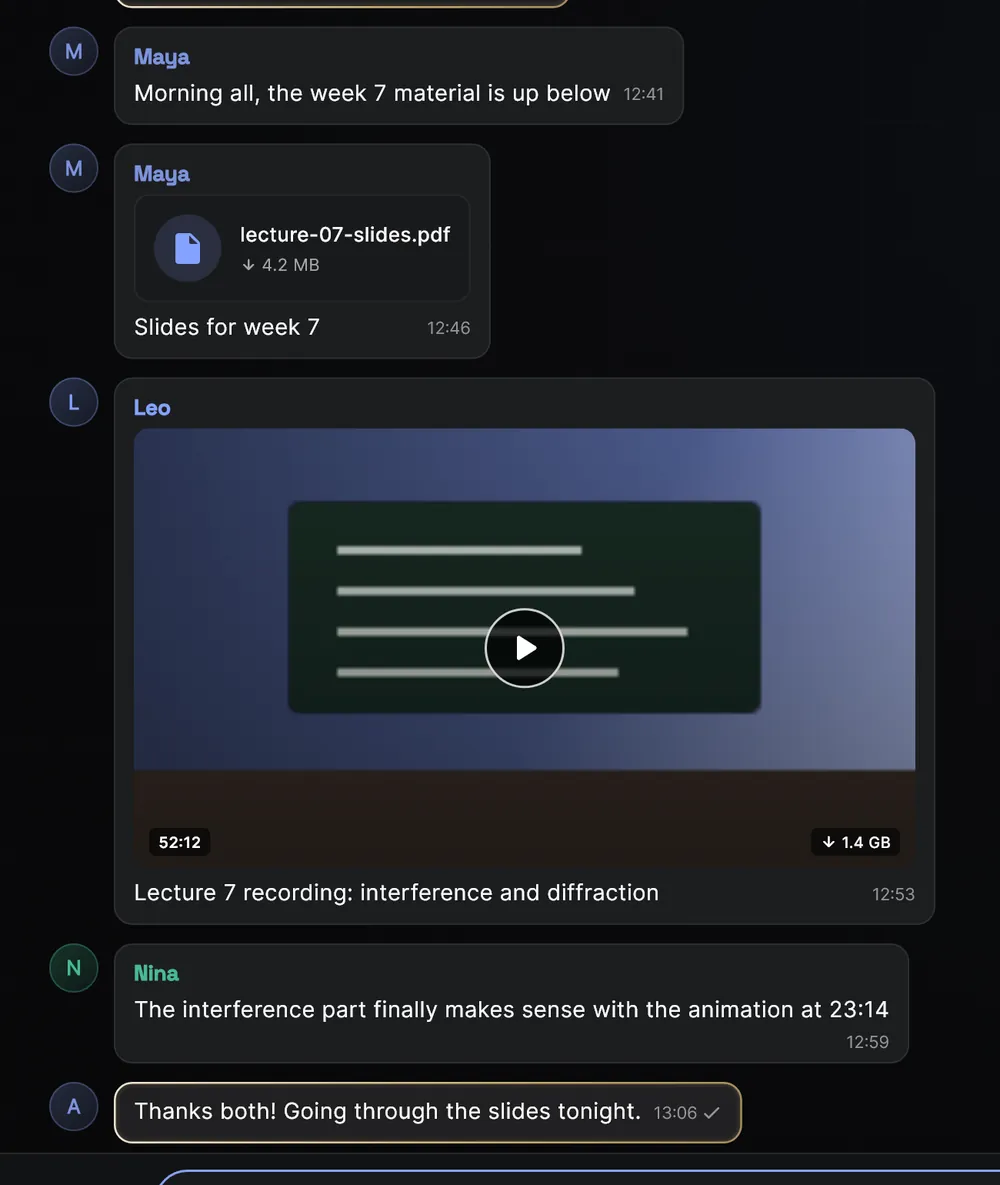
- Each chat's media sits in its own tabs: All Media, Videos, Photos, Files.
- Several Telegram accounts, and a Split View to keep an eye on them together.
- Indexing you can watch, chat by chat, in Tasks.
Also
Voice and video calls are in the app and being tested.
Download in bulk, then walk away.
Saving a channel's videos usually means watching a progress bar all afternoon.
Pick one or more chats and choose what you want: only videos, only this month, only files over 100 MB. Supergram shows how many files that is, and how big, before it starts. Then it works in the background and tells you what each file is doing.

- Pause, resume, retry or cancel. Downloads pick up again after a restart.
- States in plain words:
Waiting for Telegram · 12s
,Paused at 42%
,Failed
with the reason and what to do. - Uploads run in the same place.
- A video too big for Telegram is split into parts that fit when you send it.
Copy a whole chat into another one.
Moving a group's files into a new group by hand can take a weekend.
Pick where to copy from and where to copy to: a channel, a group, a chat or Saved Messages. Choose what to copy, check the preview, and start. You can run up to three at once and pause any of them.

- What moves: videos, photos, documents, PDFs, audio, voice, GIFs, text, stickers, links, albums and polls.
- Filters: date posted, size, sender, filename, caption, duration, forwarded or original.
- Direct Forward keeps the “forwarded from” line. Download & Reupload works where forwarding is turned off and keeps captions. Auto picks per message.
Worth knowing
Both chats need to be on the same Telegram account. Copied messages carry the day they were copied, not the original date. Polls can only be forwarded.
Your cloud drives, beside your chats.
Your files are in Telegram, your backups are in a drive, and moving between them means downloading and uploading again.
Super Cloud puts your drives next to Telegram. Send a file from a message to a drive, send a file from a drive into a chat, copy between drives, or share one file to several chats and folders at once. Every transfer is listed in a history.

Upload to cloud…
on any message with a file, or on several at once.Send to Telegram…
from any file in a drive.- Cloud to cloud copies, and a Sharing Portal for one-to-many.
Connections built for
They're being switched on provider by provider for early access. Google Drive access is limited to the files Supergram creates or opens, not your whole drive.
A browser, built in.
You open a link from a chat, the file lands in your downloads folder, and then you upload it back.
Links from Telegram open in Super Browser, inside Supergram. On any page, On this page…
lists the files, pictures, videos and tables, so you can download them or send them to a chat. Everything you save ends up in one Downloads list.

Download with Supergram
andSend to Telegram…
for any file on the page.- A
Download video
button when a page has one. Save table as CSV
andCompress picture…
straight from the page.- Ad Block on by default.
Tools for the files you get on Telegram.
A video that's too big to send. A lecture you only need to listen to. Thirty photos that should have been one PDF.
Everyday
- Super Clipboard
- Notes & Tasks
- Storage Manager
Telegram
- Keyword Monitor
Video
- Video Player
- Video to Audio
- Video Splitter
Sound
- Noise Remover
- Speech to Text
Pictures
- Image Editor
- Image Compressor
- Pictures to PDF
- PDF Viewer
- Book View
- PDF to pictures
- Pictures from a PDF
- PDF pages
- PDF to Word
Send a video that's bigger than Telegram allows.
It cuts a long video at keyframes, without re-encoding, into parts just under the limit for your account: 2 GB, or 4 GB with Telegram Premium. Every part plays on its own, and Supergram can send them in order as Part 1 of N.
Video and speech tools install their engines the first time you use them, after you confirm.

An assistant that asks before it acts.
A lot of AI can talk about your work. Doing the work is the useful part, and it's also the part you need to trust.
Super Browser has an Assistant that can read a page, click, type and move between pages for you. Before it sends, posts, signs up or submits anything, it stops and asks. It never touches passwords or payments.

- You ask
In plain words, or by voice.
- It works the page
Reads, scrolls, clicks, fills in, opens tabs.
- It stops to ask
Allow this?
before anything is sent, posted or submitted. - You decide
Allow
orDon't
. There's a Stop button throughout.
Your model, your choice
It runs on a model on your own PC by default (Ollama, LM Studio or similar). You can bring your own OpenAI-compatible or Anthropic key instead. Supergram doesn't sit in between or pay for it.
On the way
The same ask-first approach, reaching into your chats and files.
Who it's for
For people who use Telegram for more than chatting.
Keepers of big archives
Years of channels, lectures and files, searchable on your own PC and checked against what's actually on disk.
SearchLibrary healthExport
Community and channel admins
Move content between groups with filters, and get told when the words you care about come up.
MigrateKeyword Monitor
Students and researchers
Find the PDF, read it as a book, and turn a recorded lecture into text you can search.
SearchBook ViewSpeech to Text
Creators
Split long videos to send them, pull the audio out, compress pictures, share one file to several chats.
Video SplitterVideo to AudioSharing Portal
People who work in Telegram
Files from chats to a drive and back without a downloads folder in between, across more than one account.
Super CloudAccounts
Anyone with a slow afternoon of downloads
Choose what you want once, see how much it is, and let the queue get on with it.
Filtered downloadTransfers
Platforms
One workspace. Windows first.
Supergram runs on Windows today. Mac and mobile come after the Windows version holds up in daily use.
- Windows
Built · early access first - macOS
Planned - iPhone
Planned - Android
Planned
How it behaves
It does more, and tells you what it's doing.
One workspace.
Less copying between apps. Files go between Telegram, your drives and the web without a stop in your downloads folder.
You approve what it does.
The Assistant asks before anything is sent, posted or submitted. Big downloads and migrations show their size and a preview before they start.
It tells you what it's doing.
No progress bars that keep moving when nothing is happening. If something is stuck, it tells you why.
Downloading 42% · 1.2 MB/s · 40 s leftWaiting for Telegram · 12sTelegram is limiting speed (non-Premium)Failed · The disk is full. Free some space, then try again.
Private by design.
Messages, downloads and the search index stay on your PC. The Assistant uses a model on your PC unless you choose otherwise. Optional features that use a server are listed in the app and can be switched off.
Supergram works through Telegram's official API with your own account, waits whenever Telegram asks it to, and stays inside Telegram's limits.
Where it is
What's built, what's being tested, what's next.
Built
- Telegram chats and multiple accounts
- Search across indexed chatsWith filters, on your PC
- Filtered downloads and the transfer queue
- Migration between chats
- Super Browser
- Eighteen file tools
Being tested
- Super Cloud connectionsProvider by provider
- The Assistant in Super Browser
- Text in pictures and speech to textOptional, on your PC
- Voice and video calls
On the way
- macOS, iPhone and Android
- The Assistant across your chats and files
- Super ConnectNew ways to find people and communities around shared interests
Plans
Free, Pro and Max.
Prices aren't set yet, and neither is exactly what goes in each plan. This is the rough shape.
FreeFor everyday use
Telegram with the workspace around it, for everyday use.
Pricing coming soonFor heavier use
For people who rely on Supergram every day, including more than one account per cloud drive.
Pricing coming soonFor intensive work
For power users and heavy workflows, including your own storage in Supergram Cloud.
Who's building it
A small team, led by its founder.
Supergram is built by a small team led by its founder. We build one piece at a time, test it every week on a real, heavily used Telegram account, and only call it done when it holds up there.
I use Telegram heavily. Not only to talk, but to keep things: lectures, references, files people sent me years ago, channels I don't want to lose.
At that scale the conversation is the easy part. Finding something again, moving a few hundred files, getting them into a drive, doing the same chores every week: that's where the time goes.
I didn't want to build another Telegram clone. I wanted the space around Telegram that I kept wishing existed.
Supergram is that space. It's early, and we're opening it carefully, a small group at a time.
Early access
Want to try it early?
Leave your email. We're letting people in a small group at a time, on Windows first. We'll write when it's your turn, and your feedback will shape what we build next.
Or write to [email protected]
Telegram is the start. Supergram is what comes next.
Back to top